
对象需要分类吗?
- 这是一个值得思考的问题
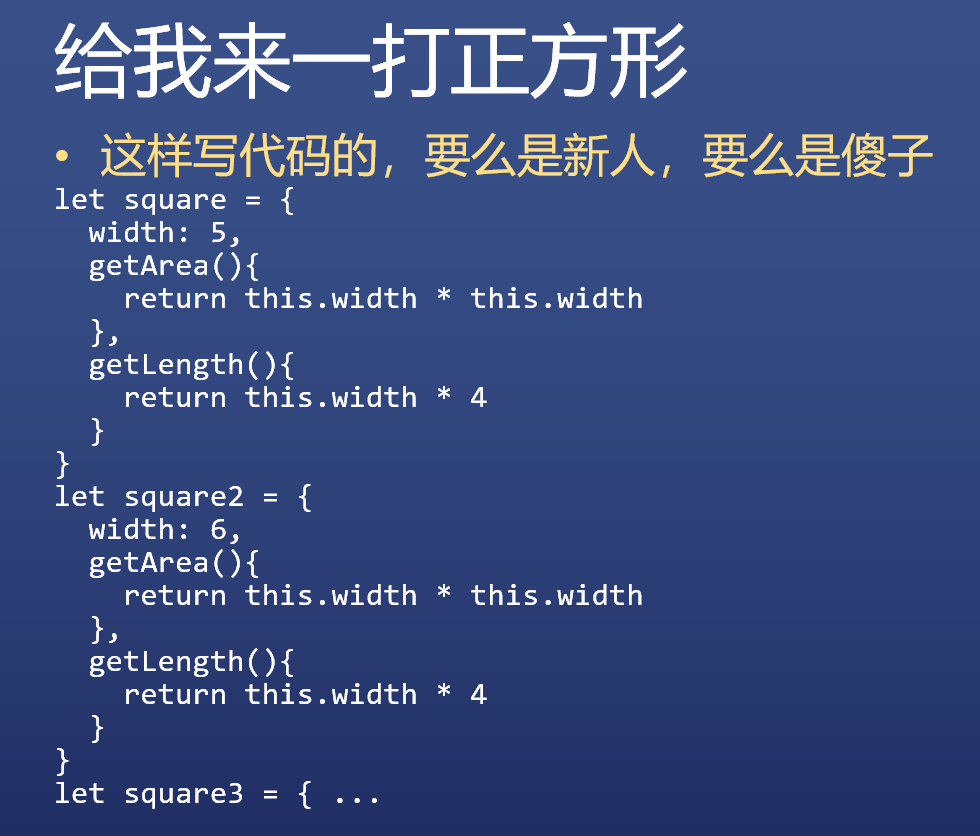
输出各种图形的面积和周长
- 正方形
代码
| let square = { | |
| width: 5, | |
| getArea(){ | |
| return this.width * this.width | |
| }, | |
| getLength(){ | |
| return this.width * 4 | |
| } | |
| } |
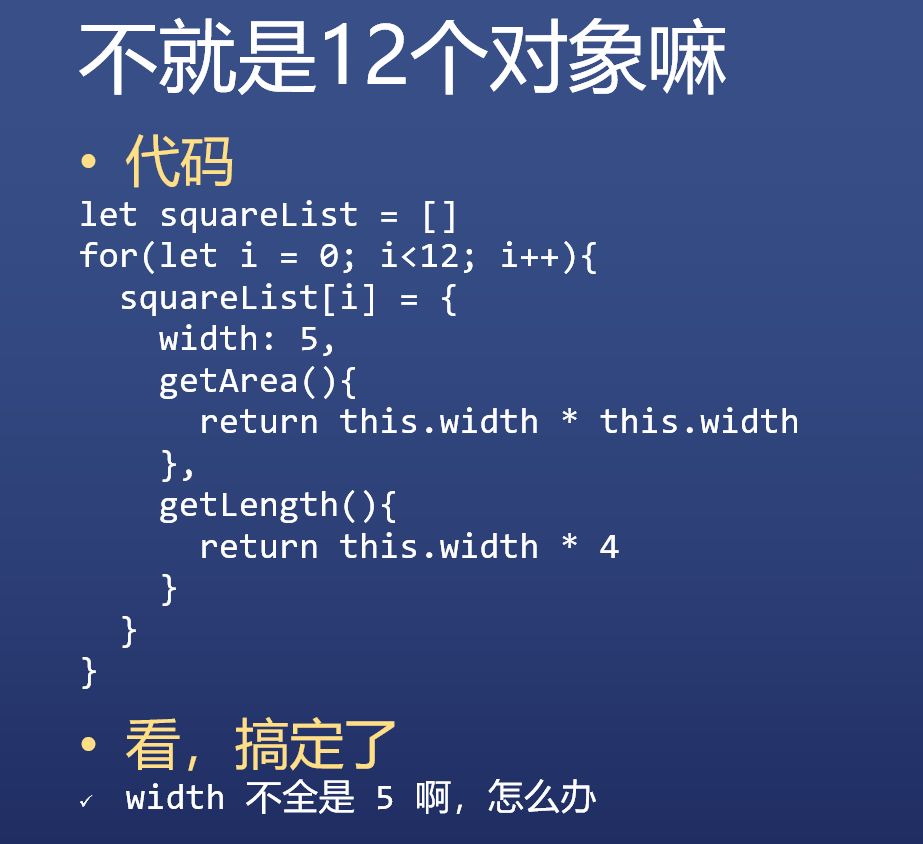
- 不同数值
代码
| let squareList = [] | |
| let widthList = [5,6,5,6,5,6,5,6,5,6,5,6] | |
| for(let i = 0; i<12; i++){ | |
| squareList[i] = { | |
| width: widthList[i], | |
| getArea(){ | |
| return this.width * this.width | |
| }, | |
| getLength(){ | |
| return this.width * 4 | |
| } | |
| } | |
| } |
看,又搞定了
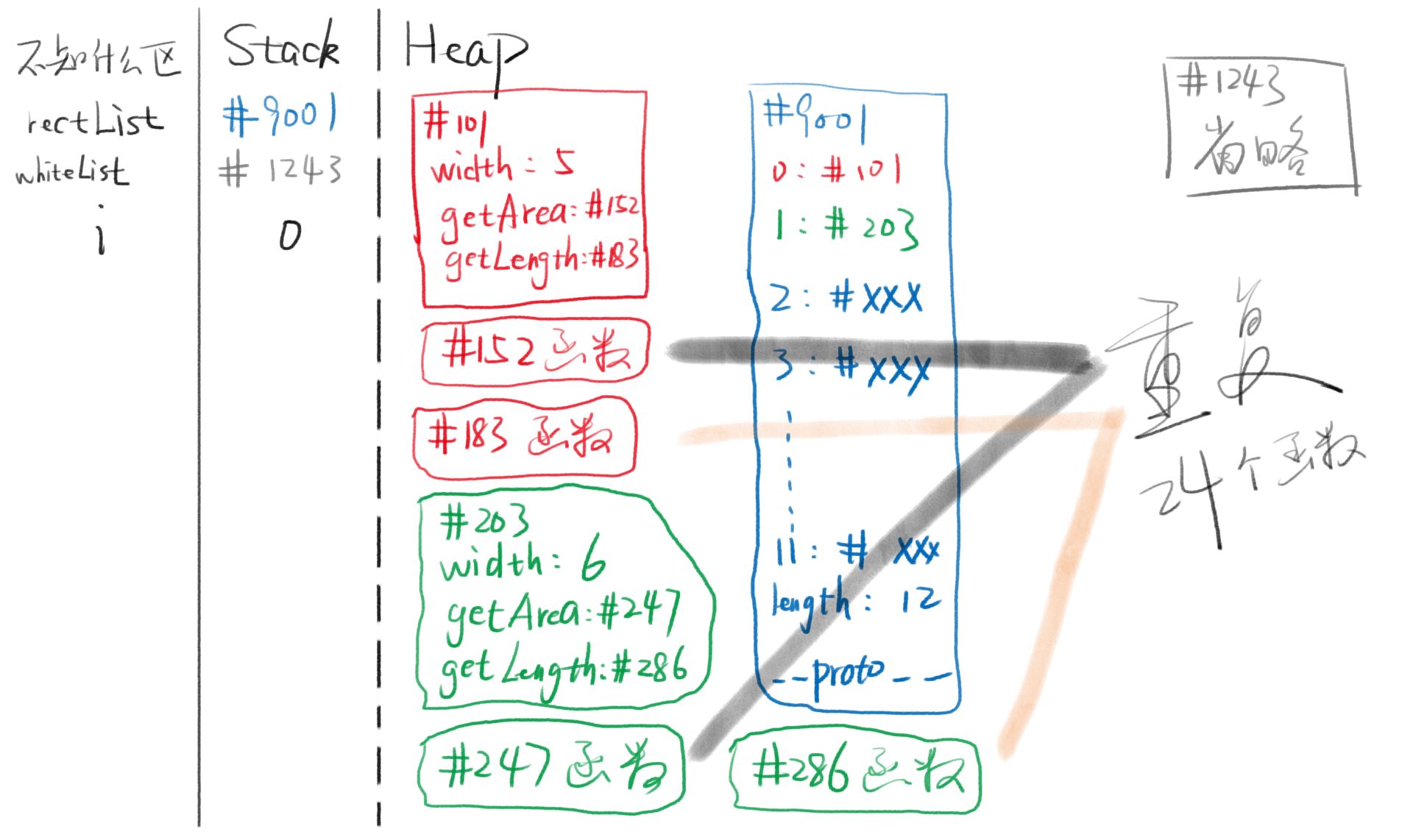
- 垃圾代码,浪费了太多内存,自己画内存图就知道了
内存图:重复的函数
- 借助原型
| 代码 | |
| let squareList = [] | |
| let widthList = [5,6,5,6,5,6,5,6,5,6,5,6] | |
| let squarePrototype = { | |
| getArea(){ | |
| return this.width * this.width | |
| }, | |
| getLength(){ | |
| return this.width * 4 | |
| } | |
| } | |
| for(let i = 0; i<12; i++){ | |
| squareList[i] = Object.create(squarePrototype) | |
| squareList[i].width = widthList[i] | |
| } |
看,双搞定了
- 还是垃圾代码!你创建
square的代码太分散了!
把代码抽离到一个函数里,然后调用函数
| let squareList = [] | |
| let widthList = [5,6,5,6,5,6,5,6,5,6,5,6] | |
| function createSquare(width){ //此函数叫做构造函数 | |
| let obj = Object.create(squarePrototype) | |
| // 以 squarePrototype 为原型创建空对象 | |
| obj.width = width | |
| return obj | |
| } | |
| let squarePrototype = { | |
| getArea(){ | |
| return this.width * this.width | |
| }, | |
| getLength(){ | |
| return this.width * 4 | |
| } | |
| } | |
| for(let i = 0; i<12; i++){ | |
| squareList[i] = createSquare(widthList[i]) | |
| // 这下创建 square 很简单了吧! | |
| // 这叫封装 | |
| } |
- 构造函数就是能够构造对象的函数
squarePrototype 原型 和 createSquare 函数 还是分散的
- 函数和原型结合
| let squareList = [] | |
| let widthList = [5,6,5,6,5,6,5,6,5,6,5,6] | |
| function createSquare(width){ | |
| let obj = Object.create(createSquare.squarePrototype) // 先使用后定义?NO | |
| obj.width = width | |
| return obj | |
| } | |
| createSquare.squarePrototype = { //把原型放到函数上,结合够紧密了吗? | |
| getArea(){ | |
| return this.width * this.width | |
| }, | |
| getLength(){ | |
| return this.width * 4 | |
| }, | |
| constructor: createSquare //方便通过原型找到构造函数 | |
| } | |
| for(let i = 0; i<12; i++){ | |
| squareList[i] = createSquare(widthList[i]) | |
| // 在这一行才是使用 封包 里面的 | |
| console.log(squareList[i].constructor) | |
| // constructor 可以知道谁构造了这个对象:你妈是谁? | |
| } |
这段代码几乎完美
- 为什么不固定下来,让每个 JS 开发者直接用呢
new 操作符
| let squareList = [] | |
| let widthList = [5,6,5,6,5,6,5,6,5,6,5,6] | |
| function Square(width){ | |
| this.width = width | |
| } | |
| Square.prototype.getArea = function(){ | |
| return this.width * this.width | |
| } | |
| Square.prototype.getLength = function(){ | |
| return this.width * 4 | |
| } | |
| for(let i = 0; i<12; i++){ | |
| squareList[i] = new Square(widthList[i]) | |
| console.log(squareList[i].constructor) | |
| } | |
| // 多美,几乎没有一句多余的废话 | |
| // 每个函数都有 prototype 属性,这是 JS 之父故意的 | |
| // 每个 prototype 都有 constructor 属性,也是故意的 | |
| function createSquare(width){ | |
| let obj = Object.create(createSquare.squarePrototype) | |
| obj.width = width | |
| return obj | |
| } | |
| createSquare.squarePrototype = { | |
| getArea(){ | |
| return this.width * this.width | |
| }, | |
| getLength(){ | |
| return this.width * 4 | |
| }, | |
| constructor: createSquare | |
| } | |
| let square = createSquare(5) |
上面的代码被简化为下面的代码
唯一的区别是要用 new 来调用
| function Square(width){ | |
| this.width = width | |
| } | |
| Square.prototype.getArea = function(){ | |
| return this.width * this.width | |
| } | |
| Square.prototype.getLength = function(){ | |
| return this.width * 4 | |
| } | |
| let square = new Square(5) | |
总结
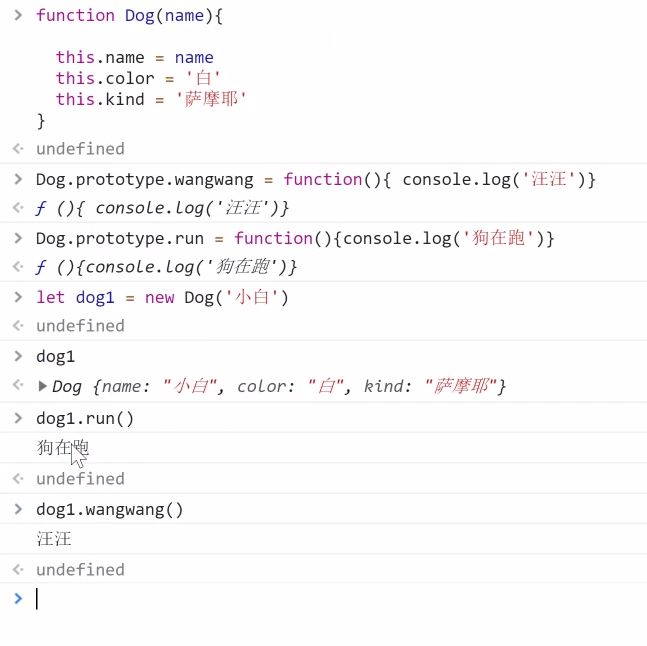
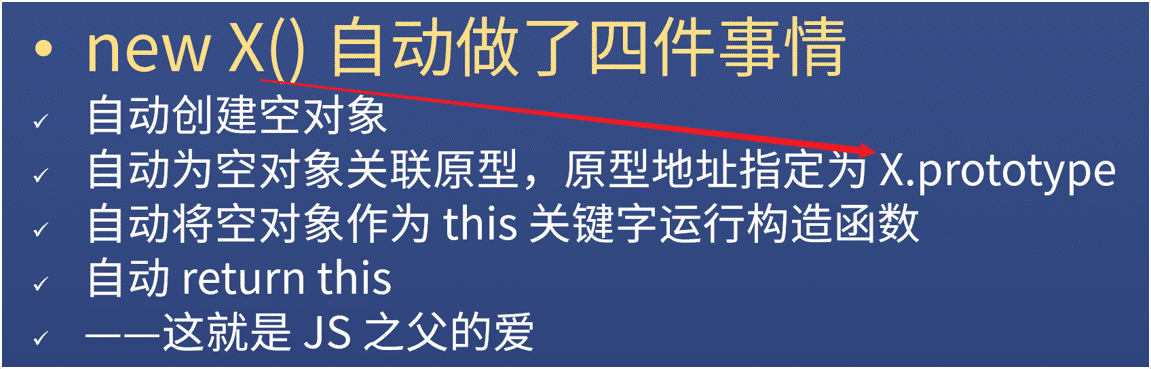
- new X() 自动做了四件事情
- 自动创建空对象
- 自动为空对象关联原型,原型地址指定为
X .prototype - 自动将空对象作为 this 关键字运行构造函数
- 自动
return this
——这就是 JS 之父的爱
构造函数 X
- X 函数本身负责给对象本身添加属性
X.prototype对象负责保存对象的共用属性
题外话:代码规范
- 大小写
- 所有构造函数(专门用于创建对象的函数)首字母大写
- 所有被构造出来的对象,首字母小写
- 词性
- new 后面的函数,使用名词形式
- 如
new Person()、new Object() - 其他函数,一般使用动词开头
- 如
createSquare(5)、createElement('div') - 其他规则以后再说
总结一个重要的公式
- 也是 JS 里唯一的一个公式
如何确定一个对象的原型
为什么
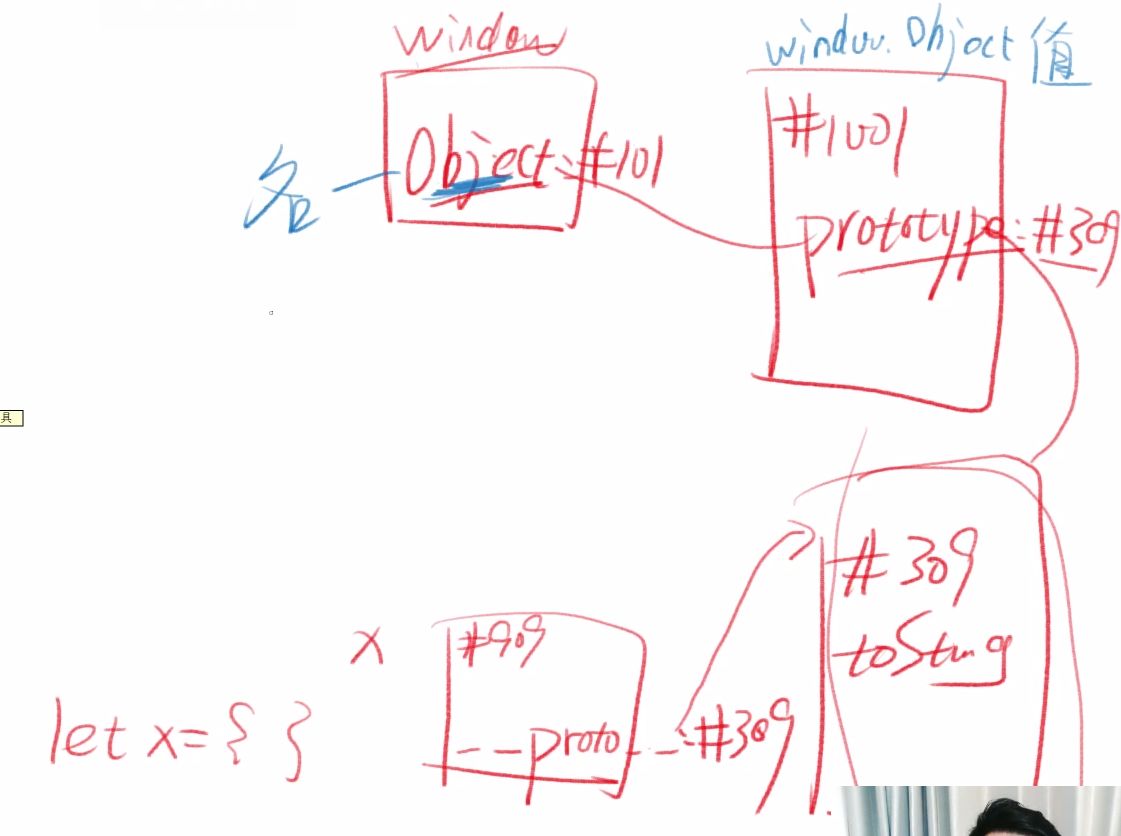
- let obj = new Object() 的原型是 Object.prototype
- let arr = new Array() 的原型是 Array.prototype
- let square = new Square() 的原型是 Square.prototype
- let fn = new Function() 的原型是 Function.prototype
因为 new 操作故意这么做的
结论
你是谁构造的
你的原型就是谁的 prototype 属性 对应的对象
原型公式
对象.proto === 其构造函数.prototype
参考资料
几道题
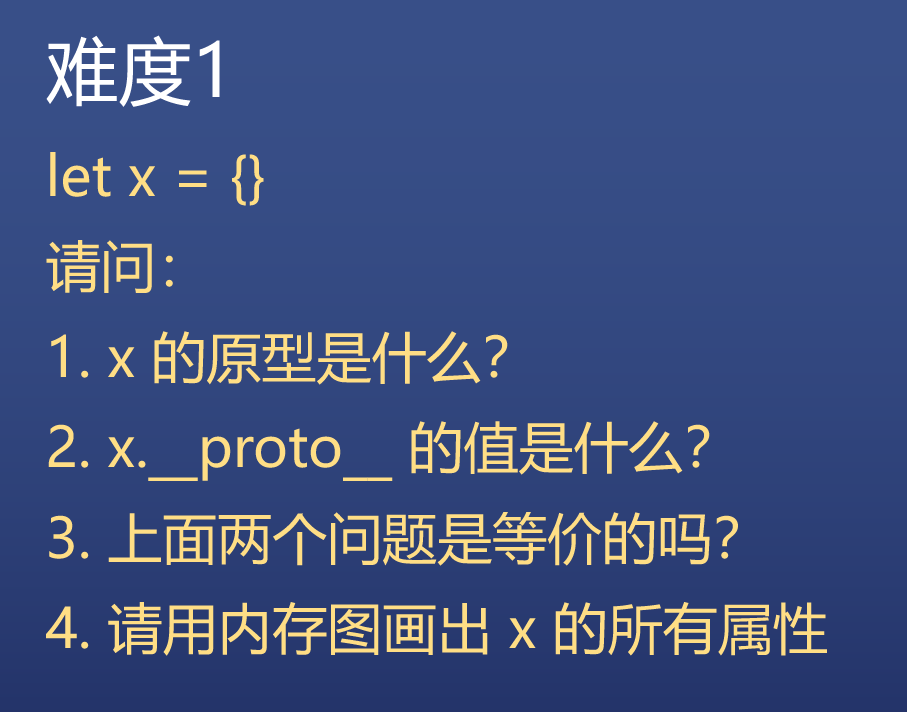
- 套公式
- 原型是什么的意思就是
__proto__是什么,然后套公式
- 原型是什么的意思就是
- 跟第一题等价
- 对的
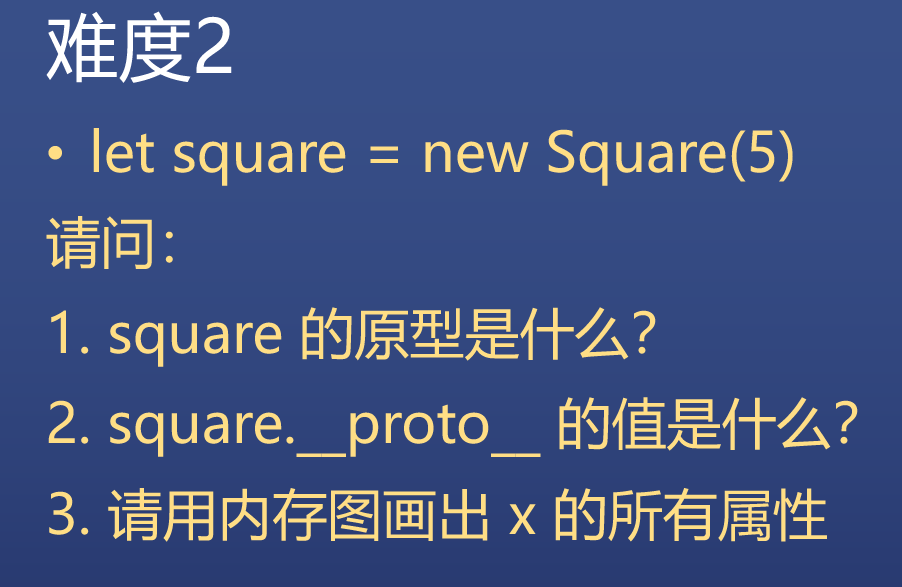
- 跟第二题等价
- Square.prototype
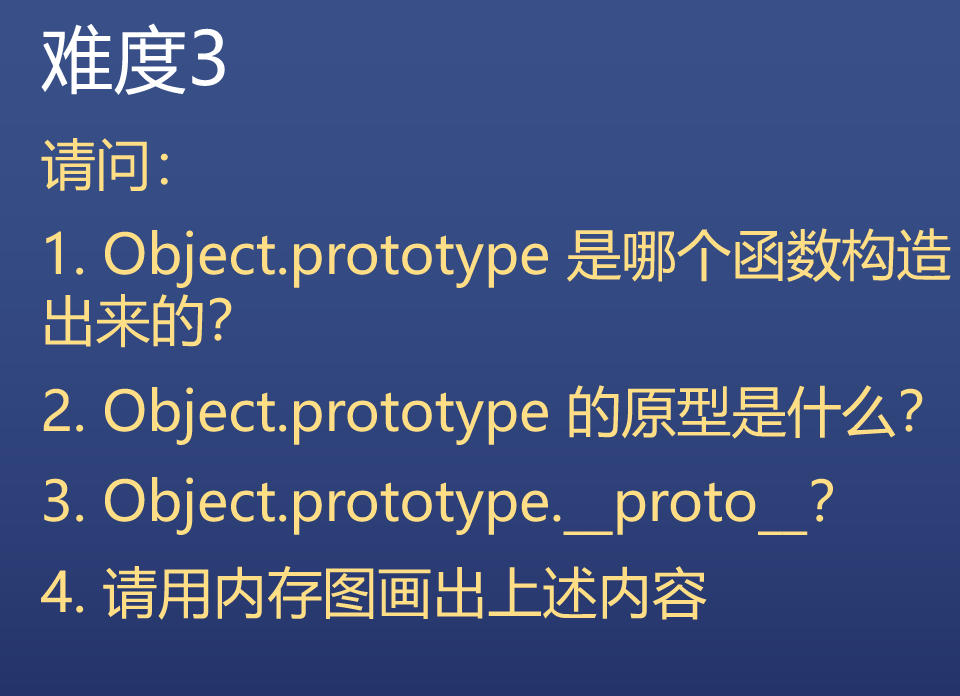
- 不知道
- 没有原型
- null
Square 最终版(存疑)
代码
| function Square(width){ | |
| this.width = width | |
| } | |
| Square.prototype.getArea = function(){ | |
| return this.width * this.width | |
| } | |
| Square.prototype.getLength = function(){ | |
| return this.width * 4 | |
| } | |
| let square = new Square(5) | |
| square.width | |
| square.getArea() | |
| square.getLength() |
正方形搞定了,写个圆?
Circle
| function Circle(radius){ | |
| this.radius = radius | |
| } | |
| Circle.prototype.getArea = function(){ | |
| return Math.pow(this.radius,2) * Math.PI | |
| // pow 平方 | |
| } | |
| Circle.prototype.getLength = function(){ | |
| return this.radius * 2 * Math.PI | |
| } | |
| let circle = new Circle(5) | |
| circle.radius | |
| circle.getArea() | |
| circle.getLength() | |
长方形
Rectangle
| function Rect(width, height){ | |
| this.width = width | |
| this.height = height | |
| } | |
| Rect.prototype.getArea = function(){ | |
| return this.width * this.height | |
| } | |
| Rect.prototype.getLength = function(){ | |
| return (this.width + this.height) * 2 | |
| } | |
| let rect = new Rect(4,5) | |
| rect.width | |
| rect.height | |
| rect.getArea() | |
| rect.getLength() |
对象需要分类吗
回到最开始的问题
- 理由一
有很多对象拥有一样的属性和行为
需要把它们分为同一类 如 square1 和 square2
这样创建类似对象的时候就很方便
- 理由二
但是还有很多对象拥有其他的属性和行为
所以就需要不同的分类 比如 Square / Circle / Rect 就是不同的分类
Array / Function 也是不同的分类, 而 Object 创建出来的对象,是最没有特点的对象
类型 V.S. 类
类型
- 类型是 JS 数据的分类,有 7 种
- 四基两空一对象
类
- 类是针对于对象的分类,有无数种
- 常见的有 Array、Function、Date、RegExp 等
数组对象
- 定义一个数组
| let arr = [1,2,3] | |
| let arr = new Array(1,2,3) // 元素为 1,2,3 | |
| let arr = new Array(3) // 长度为 3 |
- 数组对象的自身属性
| '0' / '1' / '2' / 'length' |
- 注意,属性名没有数字,只有字符串
- 数组对象的共用属性
| 'push' / 'pop' / 'shift' / 'unshift' / 'join' |
其实就是英语小课堂啦,用法都在 MDN
后面会有单独课程教这些 API
函数对象
- 函数是对象
- 定义一个函数
| function fn(x,y){return x+y} | |
| let fn2 = function fn(x,y){return x+y} | |
| let fn = (x,y) => x+y | |
| let fn = new Function('x','y', 'return x+y') |
- 函数对象自身属性
| 'name' / 'length' |
- 函数对象共用属性
| 'call' / 'apply' / 'bind' |
后面会有单独课程介绍函数
JS 终极一问
- window 是谁构造的
- Window
- 可以通过 constructor 属性看出构造者
window.Object是谁构造的window.Function- 因为所有函数都是
window.Function构造的
window.Function是谁构造的window.Function- 因为所有函数都是 window.Function 构造的
- 自己构造的自己?并不是这样,这是「上帝」的安排
- 浏览器构造了 Function,然后指定它的构造者是自己
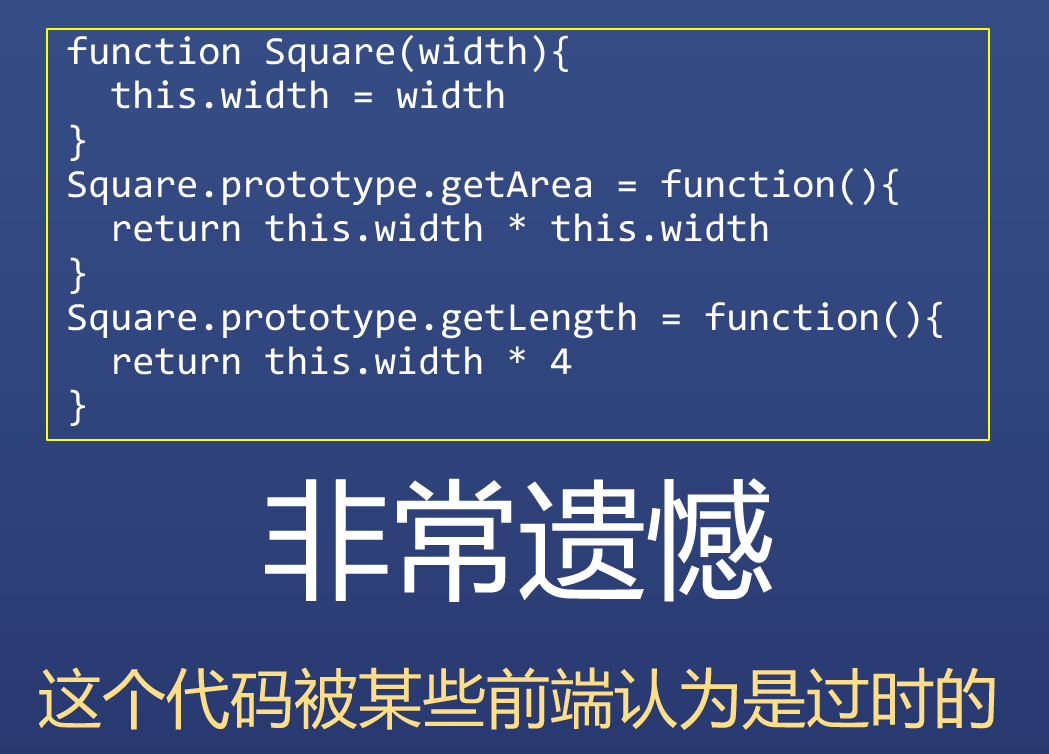
ES 6 引入了新语法
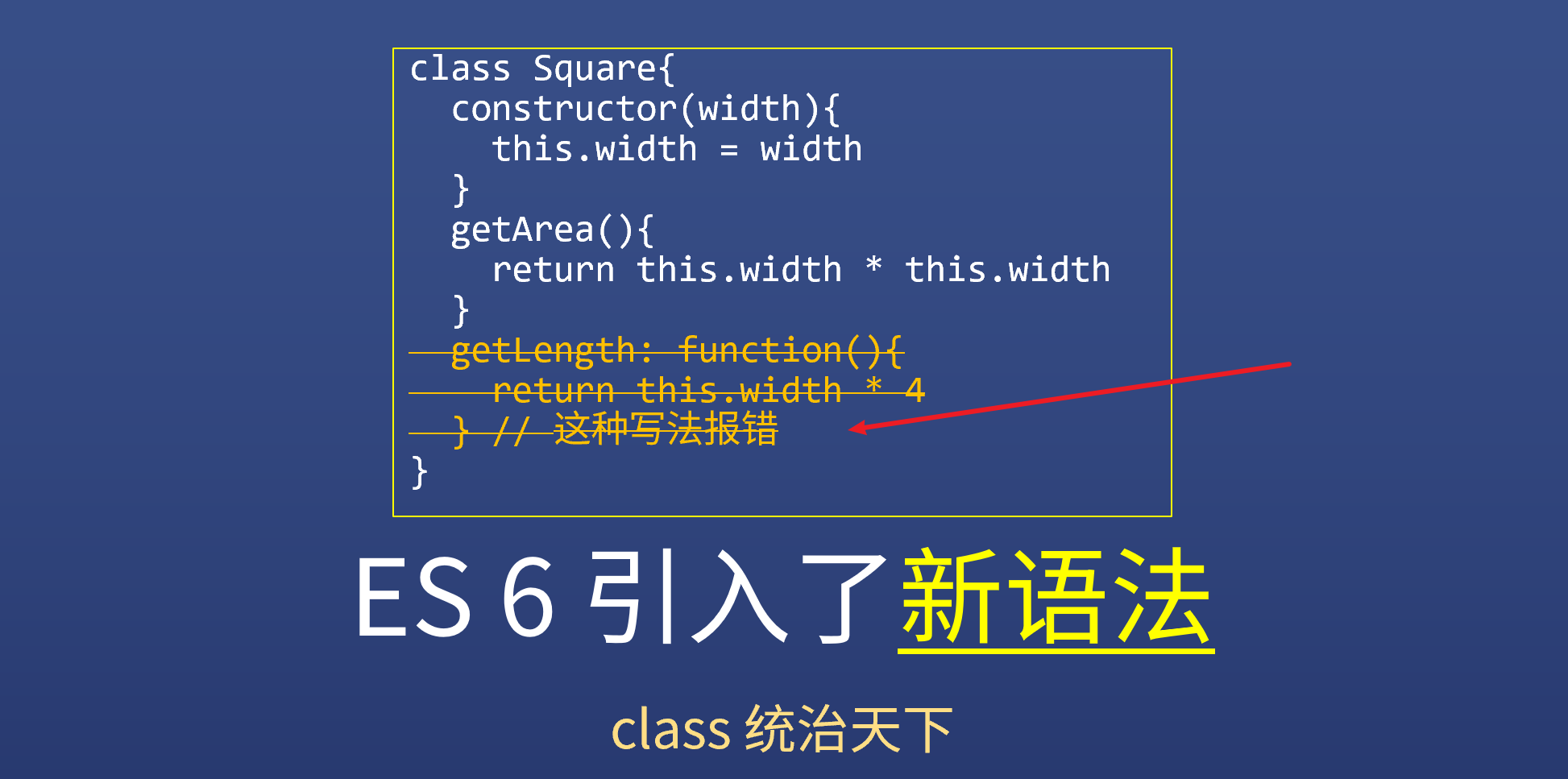
class 语法引入了更多概念
| class Square{ | |
| static x = 1 | |
| width = 0 | |
| constructor(width){ | |
| this.width = width | |
| } | |
| getArea(){ | |
| return this.width * this.width | |
| } | |
| getLength(){ | |
| return this.width * 4 | |
| } | |
| get area2(){ // 只读属性 | |
| return this.width * this.width | |
| } | |
| } |
新手建议
这么多新语法怎么学
- 两种学法
- 花一大块时间把 MDN class 文档全部看完,并记下来
- 看到方方用什么,就学一点,课程学完,就都学会了
- 推荐第二种学法,因为新语法实在太多了
- 在实践中学,记得更牢
- 到底有多少新语法
用 class 重写 Circle
| class Circle{ | |
| constructor(radius){ | |
| this.radius = radius | |
| } | |
| getArea(){ | |
| return Math.pow(this.radius,2) * Math.PI | |
| } | |
| getLength(){ | |
| return this.radius * 2 * Math.PI | |
| } | |
| } | |
| let circle = new Circle(5) | |
| circle.radius | |
| circle.getArea() | |
| circle.getLength() |
用 class 重写 Rect
| class Rect{ | |
| constructor(width, height){ | |
| this.width = width | |
| this.height = height | |
| } | |
| getArea(){ | |
| return this.width * this.height | |
| } | |
| getLength(){ | |
| return (this.width + this.height) * 2 | |
| } | |
| } | |
| let react = new Rect(4,5) | |
| rect.width | |
| rect.height | |
| rect.getArea() | |
| rect.getLength() | |
原型好,还是类好?
- 都是用来给对象分类的
class 中两种函数写法的区别
在手机端/APP学习本课
许多同学对 class 语法的细节不太清楚,这里我总结几个容易混淆的语法,这两种写法的意思完全不一样:
语法1:
| class Person{ | |
| sayHi(name){} | |
| // 等价于 | |
| sayHi: function(name){} | |
| // 注意,一般我们不在这个语法里使用箭头函数 | |
| } | |
| //等价于 | |
| function Person(){} | |
| Person.prototype.sayHi = function(name){} |
语法2:注意冒号变成了等于号
| class Person{ | |
| sayHi = (name)=>{} // 注意,一般我们不在这个语法里使用普通函数,多用箭头函数 | |
| } | |
| // 等价于 | |
| function Person(){ | |
| this.sayHi = (name)=>{} | |
| } |
不要强求完全转换成 ES5
大部分 class 语法都可以转为 ES5 语法,但并不是 100% 能转,有些 class 语法你意思理解就行,不需要强行转换为 ES5。
资料来源:饥人谷。任何组织或个人未经许可,禁止转载
相关推荐


评论